VIN Decoding for Global Recall Data

VIN Decoding for Global Recall Data
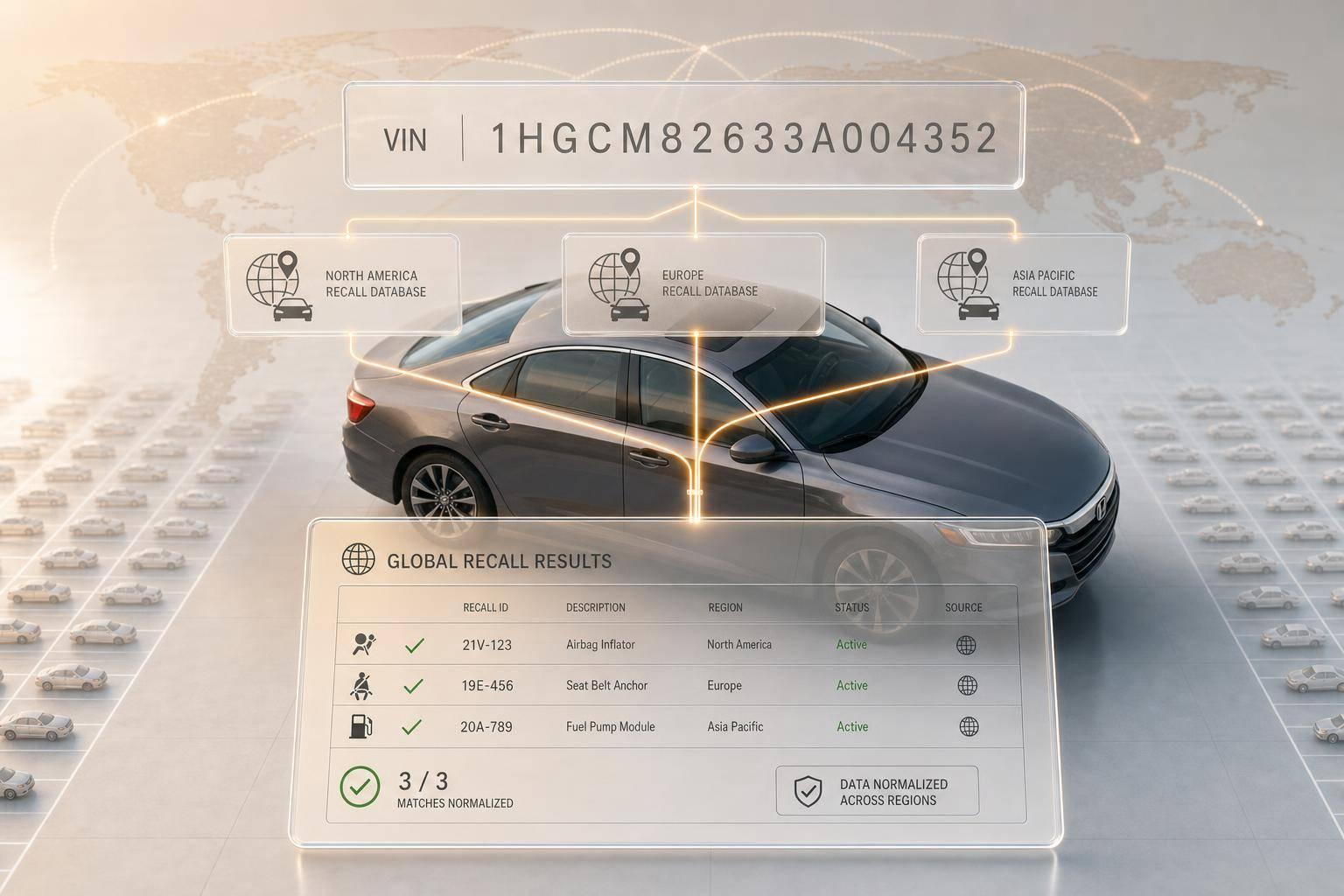
A 17-character VIN can tell you if one exact vehicle has an open recall, a completed repair, a stop-sale order, or a do-not-drive warning. If I’m checking recalls at scale, I should not rely on year, make, and model alone. I need to validate the VIN, decode it, route it to the right recall source, normalize the response, and act on the result.
Here’s the short version:
- I first confirm the VIN is 17 characters and reject I, O, and Q
- I check the 9th-character checksum
- I decode key fields like make, model, model year, plant, engine, and sequence
- I route the lookup to NHTSA, OEM sources, or regional authorities
- I normalize fields like campaign ID, status, remedy, parts, and stop-sale
- I treat Incomplete as open and Completed as closed
- I use flags like
stop_saleanddont_driveto decide the next step - I can batch-process up to 10,000 VINs for inventory or fleet reviews
In other words: the VIN is the filter that turns a broad recall notice into a unit-level answer.
A simple workflow looks like this:
- Validate the VIN
- Decode the vehicle record
- Check the right recall source
- Merge duplicate campaigns
- Map statuses to open or closed
- Send the result to sales, service, fleet, or compliance teams
If I skip validation, I risk bad matches and wasted API calls. If I skip normalization, recall data from different countries turns messy fast. And if I ignore status flags, I can miss a vehicle that should be held from sale or pulled from use.
That’s the core idea of this guide: start with the VIN, then build a recall pipeline that gives one clean answer per vehicle.
VIN Recall Lookup Pipeline: 6-Step Workflow
Step 1: Validate the VIN and Decode the Vehicle Record
Before you run a recall query, start with a basic VIN check. It’s a small step, but it helps you avoid bad matches and pointless API calls. After the VIN passes validation, decode it into the fields that recall systems use for matching.
Check VIN Length, Characters, and Checksum
Every modern VIN is exactly 17 characters long [1][4]. If it’s shorter or longer, reject it before it hits your API endpoint. Also watch for characters that are easy to mix up: I, O, and Q don’t appear in modern VINs because they can be confused with 1, 0, and 9 [4]. If the VIN comes from manual entry or OCR, flag those characters or fix them before sending the request.
The 9th character is the check digit. If it doesn’t match, reject the VIN [4].
Extract the Vehicle Attributes That Drive Recall Matching
Once the VIN passes validation, decode it into the three sections that hold recall-related data [4]:
VIN Section Characters Key Recall Attributes WMI 1–3 Manufacturer, country of origin VDS 4–9 Model, body type, engine, check digit VIS 10–17 Model year, assembly plant, production sequence
The 10th character shows the model year, and the 11th identifies the assembly plant [4]. That matters because recalls are often limited to vehicles built during a certain production window at a certain factory. Without plant_country and sequential_number, it’s hard to match tight recall ranges with confidence [4].
Those decoded fields become the lookup keys in the next step.
Use CarsXE to Decode VINs Across 50+ Countries
If your recall workflow goes beyond the U.S., you need decoding that works across markets. CarsXE offers an International VIN Decoder API for vehicles from 50+ countries. It returns normalized JSON fields such as make, model, model_year, body, engine, and plant_country [4].
The API also returns a check_digit field and a sequential_number in the decoded response, which lets you confirm structural integrity in code [4]. That normalized output helps you match recalls with far fewer gaps across different markets.
With a clean decode in hand, map those fields to recall sources.
Step 2: Map Decoded VIN Data to Recall Sources
Use the decoded VIN fields to send the vehicle to the right recall source. Match on make, model, model_year, and manufacturer, then use plant_country and emission_standard to send the query to the correct region [1][4]. These routing fields decide which source you should check first.
Identify the Main Recall Data Sources
The aim here is simple: take one VIN and turn it into one source path and one usable record. Use three source types:
- U.S. government data from NHTSA
- Manufacturer portals for OEM-initiated recall data
- Regional transport safety authorities for vehicles built or sold outside the U.S. [1][4]
Use recall_campaign_type to label whether a campaign came from a government source or an OEM source [1].
Route by plant_country and regulatory standard so the query goes to the right regional authority [4]. If VIN lookup isn't available, search by YMM, then filter by production range and trim [5][3].
Once you've picked the source, normalize every response into one schema.
Normalize Recall Fields Across Countries
Each source uses its own field names, status labels, and campaign IDs. That can get messy fast. Normalize everything into one shared schema so non-U.S. sources work inside the same flow.
At a minimum, standardize these core fields: campaign_id, manufacturer_id, component, risk_description, recall_remedy, recall_status, stop_sale, remedy_available, and parts_available [1][2]. Convert remedy and parts text into remedy_available and parts_available flags so automation can schedule service, hold inventory, and trigger stop-sale actions [1]. Use manufacturer_id to deduplicate the same campaign across sources [1].
Comparison Table: Key Recall Fields and Status Meanings
Field U.S. Meaning (NHTSA) International Equivalent Why It Matters nhtsa_id Official campaign ID (e.g., 24V720) Transport Safety Authority ID Primary key for regulatory compliance and legal reporting [1] manufacturer_id OEM-specific recall code (e.g., 95B) Manufacturer Campaign Reference Used to deduplicate records across government and OEM sources [1] recall_status Incomplete / Completed Open / Closed / Remedied Shows whether the VIN is still affected [1][5] recall_remedy Description of the required repair Technical Service Instruction Informs service departments of the labor and parts required [1] stop_sale Sales ban on the vehicle Sales Ban / Stop Delivery Prevents illegal sales of dangerous units at dealerships and auctions [1] component Affected system or assembly Affected Assembly / System Helps categorize severity and route vehicles to the right service bay [1] risk_description Safety risk (e.g., Fire, Crash) Hazard / Consequence Used to prioritize high-risk recalls in fleet management [1]
Use that schema in Step 3 to build the lookup flow.
Step 3: Build the API Workflow for Recall Lookup
Use the Step 2 schema to run three actions: decode the VIN, check recalls, and save the normalized response. That way, the decoded VIN data and the recall record stay matched before anything hits storage.
Query Decode and Recall Endpoints in Order
Use the normalized VIN fields to run one recall lookup and save one canonical record.
Start with the International VIN Decoder (/v1/international-vin-decoder) and pass key plus vin. This confirms the vehicle record you need before running the recall check [4].
After the VIN is validated, send that same VIN to the Vehicle Recalls endpoint (/v1/recalls) with the same key and vin parameters [1]. If has_recalls is false, stop there and skip parsing recalls[] [1].
Store the API key in CARSXE_API_KEY, and keep all requests on the server side [6].
Merge Duplicate Campaigns and Standardize Statuses
The recalls array can include the same safety campaign from more than one source. To deduplicate those records, use nhtsa_id and manufacturer_id together as a composite key when they describe the same recall [1].
Map recall_status to either open or closed [1][2]. Then check remedy_available and parts_available to decide what happens next. If both fields support service action, the record can move into scheduling. If not, keep it in an alert state [1]. Also save the returned uuid for record linking [1].
Configuration Table: Requests and Response Fields
API Function Key Request Parameters Primary Response Fields International VIN Decoding (/v1/international-vin-decoder) key, vin make, model, year, plant_country, manufacturer Vehicle Recalls Retrieval (/v1/recalls) key, vin has_recalls, recall_count, recalls[], recall_status Batch Recall Check key, vins (JSON/CSV array, up to 10,000 VINs) success, data, uuid
For high-volume use cases like fleet management or dealership inventory sweeps, the Batch Recall API supports up to 10,000 VINs in one asynchronous request [2].
Step 4 turns these fields into operational actions.
Next, use these normalized records to trigger service, sales, and compliance actions.
sbb-itb-9525efd
Step 4: Interpret Results and Apply Them in Business Workflows
Turn normalized recall records into clear next steps: hold, repair, alert, or clear. The fields you normalized in Step 3 should drive what happens next. Raw recall data only helps if it leads to action. If someone reads it the wrong way, a safety problem can stay open.
Read Recall Status, Remedy Availability, and Applicability
In the CarsXE API, "Incomplete" means the recall is still open, while "Completed" means the repair has already been done [1][2]. Two fields demand extra attention: stop_sale means the vehicle can't be sold, and dont_drive means it should not be driven at all [1].
That gives you a simple action path. If the recall is open and remedy_available is true, book the repair. If remedy_available is false, send the record to a follow-up queue and check again later [1].
You also need to confirm that the campaign fits the exact vehicle in front of you. A broad recall notice can sound like it applies to every unit, but that isn't always the case. Match risk_description against decoded VIN fields like year, make, model, fuel_type, component, and sequential_number before you act [1][4].
Apply Recall Data in Day-to-Day Operations
The same normalized recall record can mean different things depending on the team.
- Fleet managers should pull
dont_drivevehicles out of service right away [1]. - Dealership teams should check
remedy_availablebefore acquisition and factor in storage cost if the vehicle has to sit until the manufacturer provides a fix [1]. - Service centers should use
labor_hours_minandlabor_hours_maxto plan shop time and technician capacity [1][5].
Use the table below so each team handles the same recall record the same way.
Decision Table: Status Labels and Backend Actions
Recall Status Critical Flags User-Facing Label Backend Action Notification Priority Incomplete dont_drive: true URGENT: DO NOT DRIVE Ground vehicle; immediate owner alert Critical Incomplete stop_sale: true STOP SALE ORDER Lock inventory; block all transactions Critical Incomplete None Open Recall - Fix Ready Schedule service; check parts_available High Incomplete None Open Recall - Remedy Pending Add to follow-up queue; re-query for updates Medium Completed Any Recall Closed Archive in vehicle history; no further action Low Null/Unknown Any Unknown Status Trigger manual VIN check or manufacturer portal lookup Medium
Conclusion: Build a Reliable Global Recall Pipeline From the VIN Up
After validation, decoding, source mapping, workflow design, and interpretation, the last piece is keeping the pipeline up to date. A reliable recall pipeline is a sequence, not a single API call. And it stays accurate only when recall sources are checked as campaigns change.
Key Takeaways for Implementation
The workflow has six steps: validate the VIN, decode the vehicle, query authoritative recall sources, normalize status and campaign fields, apply safety flags, and automate service, compliance, or risk actions.
For large inventories, batch processing can run high-volume recall checks across the full fleet [2]. For global coverage, the International VIN Decoder identifies plant_country and manufacturer data across 50+ countries [4], so the correct regional recall source gets queried each time. Log the uuid from every API response. That field gives you an auditable record of exactly when each recall status was last verified, which keeps every lookup traceable and ready for action [1].
FAQs
Why isn’t year, make, and model enough for recall checks?
Year, make, and model by themselves aren't specific enough for an accurate recall check. They don't tell you a vehicle's exact build setup, and many recalls depend on those details.
A VIN gets much more precise. It can point to production batches, manufacturing plants, and equipment differences, which helps confirm whether a specific vehicle is affected, its recall status, and the remedy that's available.
What should I do if a VIN fails validation or has an unknown status?
First, make sure the VIN is a standard 17-character VIN and that your API key and request parameters are formatted the right way.
Then check the API success flag and HTTP status codes so you can tell the difference between an invalid VIN format and a server-side issue.
If success is negative, ask the user to verify the VIN.
If the issue still isn't clear, review your network connection and check the CarsXE developer dashboard.
How often should I recheck VINs for recall updates?
Because recall data matters for both safety and compliance, CarsXE gives you real-time updates so you can check the latest information as soon as it's available.
A common approach is to cache recall results for 6 hours. That gives you a good middle ground: you can spot new safety issues fast without making extra API calls when nothing has changed.
Related Blog Posts
- How VIN Decoding Powers Compliance Verification
- VIN Decoding for Emission Compliance Tracking
- How VIN Decoding Retrieves Vehicle Specs
- How VIN Decoding Helps with Import Compliance